


If you’re looking for a Rask.ai alternative with more editing control, GoodDub lets you fix individual dubbed sentences without re-running your entire video — and if low-cost volume is your priority, HeyGen offers unlimited audio dubbing for $29/month.
Rask.ai has real capabilities, but the pricing model creates real friction for regular creators: $120/month for Creator Pro (the tier that includes lip-sync), with lip-sync consuming double your minute quota. Trustpilot reviews from 2025–2026 report unanswered support requests, billing issues after cancellation, and quality inconsistencies — including Portuguese dubs mixing Brazilian and European variants mid-sentence, and French translation quality degrading within a single clip.
For creators who publish multiple videos a month across languages — a workflow that can increase YouTube income 2x–5x — those aren’t just minor annoyances. They’re the kind of friction that kills a publishing schedule. If you're weighing whether the global audience opportunity is even worth the effort, here's an honest look at → globalizing your content without a Hollywood budget
And this post compares 7 alternatives to Rask.ai on the criteria that matter: editing control, pricing per minute, voice quality, free trial usability, and support.
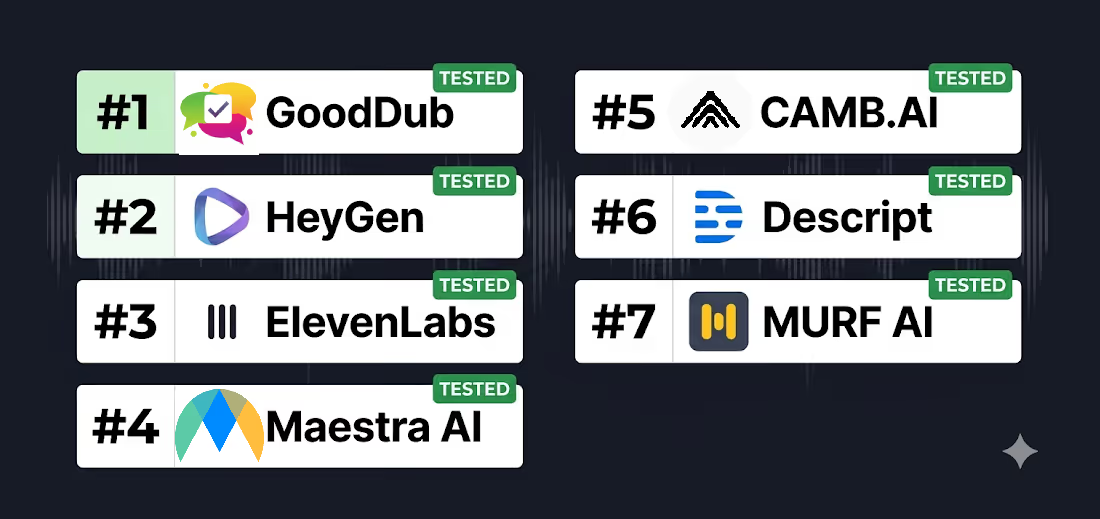
Before the deep dive, here’s the one-line summary for each tool:
· GoodDub — Best for sentence-level dubbing editing and creator QC control
· HeyGen — Best for unlimited audio dubbing at the lowest monthly price
· ElevenLabs — Best voice cloning quality for narration-heavy content
· Maestra — Best all-in-one (dubbing + subtitles + transcription)
· CAMB.AI — Best for emotional voice preservation in narrative content
· Descript — Best for creators who edit by transcript (Business/Enterprise for full dubbing)
· Murf AI — Best for voiceover-focused content (no lip-sync needed)
Rask.ai is a fire-and-forget pipeline: upload, wait, and hope the output is usable. GoodDub takes a different approach — it gives you sentence-level control over the dubbed output, so you can regenerate the one line that sounds robotic without touching the rest of the video.
Sound familiar? Most AI dubbing tools treat the output as a finished product, or they keep editing limited behind hidden costs. If something is off — a mispronounced name, wrong pacing, emotionally flat delivery — your options are: accept it, or re-run the whole video and hope for better. GoodDub’s Refresh TTS lets you click the problem sentence and regenerate just that segment.
Key Features:
Free trial: Yes — 1 minute per video, no credit card required. Output is watermarked and personal use only, but it’s enough to test voice cloning and the sentence-level dubbing editing workflow on a real clip before committing.
Pricing: GoodDub uses a credit-based, pay-as-you-go model. Credits start at $0.42/min, available in 25, 100, or 250-minute packages. You only pay for what you use, and unlike competitors, editing and regenerating sentences won't drain your credit balance. "Visit GoodDub website to check the current pricing data: GoodDub Pricing.
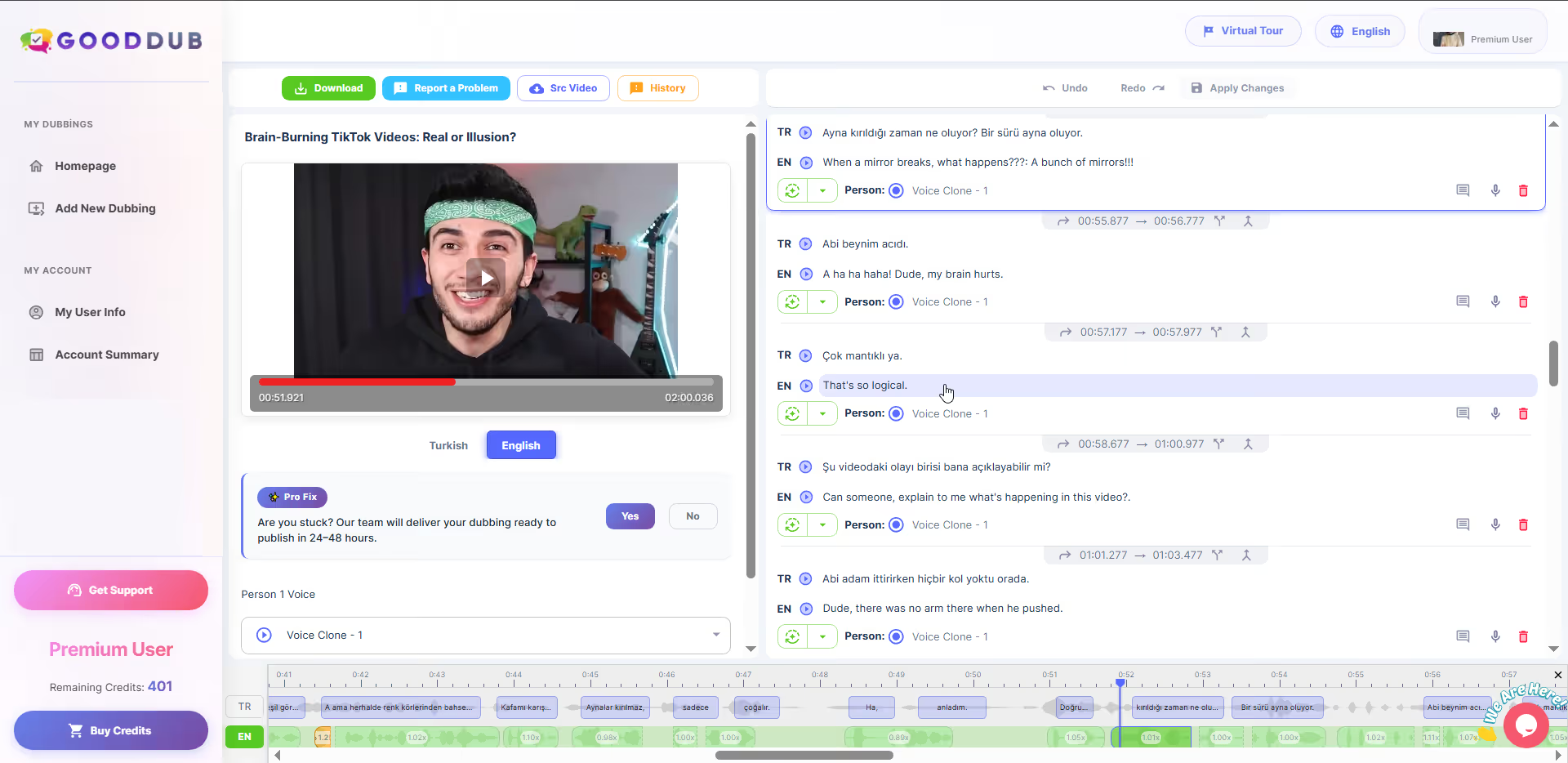
Honest note: GoodDub doesn’t promise “native-like” output on the first pass. What it does promise is that when a line sounds off, you can fix it directly — without starting over. For creators who care about how they sound in dubbed languages, that’s a fundamentally different value proposition than “upload and hope.”
Best for: Creators who publish regularly and want a professional editor to fine-tune sync and delivery. If you need a tool where you can "step in" and fix a line with your own voice or adjust timing on a timeline, this is the most flexible Rask alternative.
For a deeper side-by-side breakdown on pricing and editing experience, see Rask.ai vs. GoodDub →
Try GoodDub free — see sentence-level dubbing editing in action
If pricing per minute is your main concern, HeyGen's Creator plan is hard to beat. At $29/month, it includes unlimited audio dubbing — a direct contrast to Rask.ai's $60/month for just 25 minutes.
Strengths:
Weaknesses:
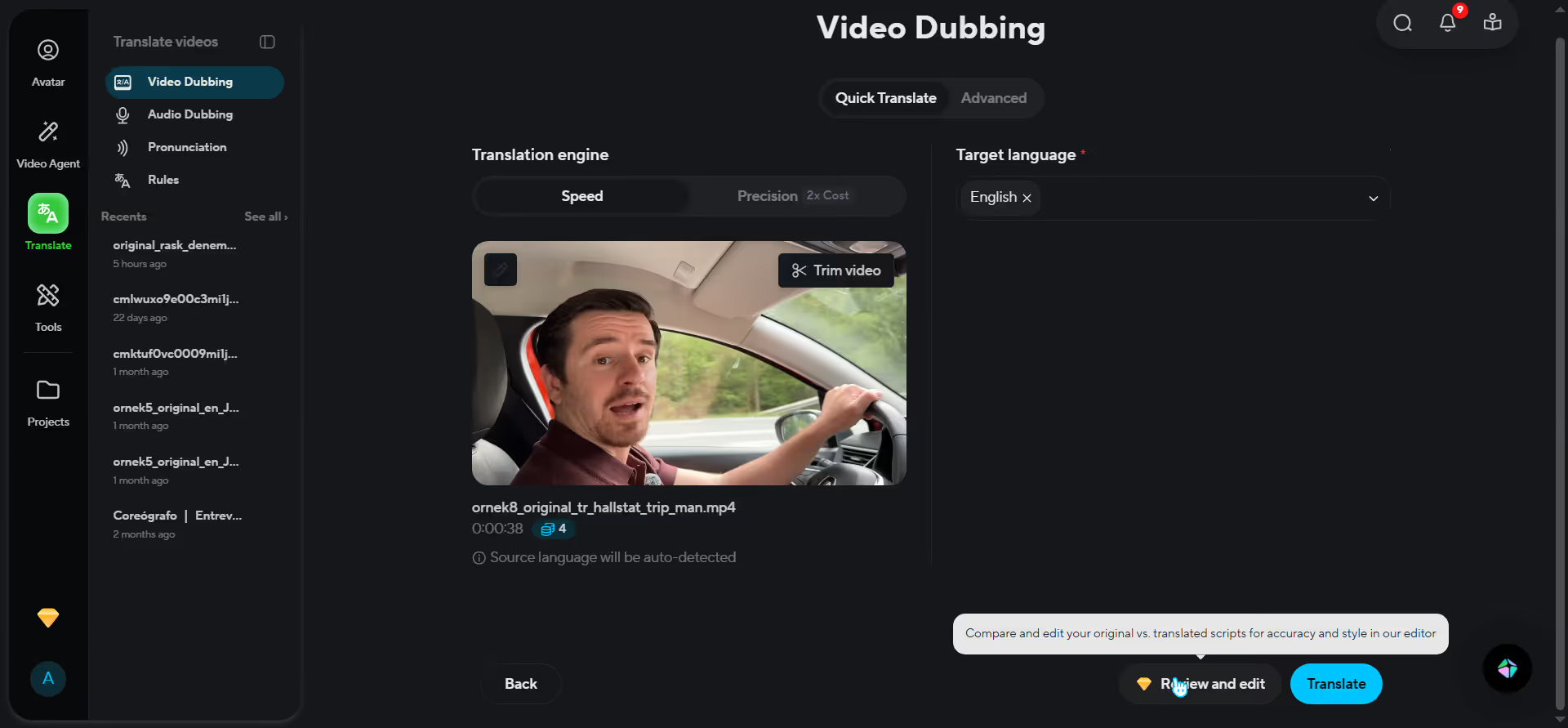
Pricing: Starting at $29/month (Creator) for unlimited audio dubbing. To manually edit translations via Proofread, you'll need the $99/month Pro plan. The next step up is the $149/month Business plan for team collaboration and expanded features. Visit their website to check the current pricing data: HeyGen Pricing
Best for: Creators who prioritize high-volume dubbing at a low cost and are comfortable with an "as-is" output at the entry level — or who are willing to step up to Pro for editorial control. If you're planning to publish one video across multiple languages as a workflow, here's the multi-language protocol that makes it manageable →
ElevenLabs has earned a strong reputation for voice cloning quality — it preserves emotional nuance in a way that generic TTS tools don't. If your voice is central to your brand, ElevenLabs is worth a serious look.
But there's a pricing trap almost no comparison post discloses: ElevenLabs bills per output language. Dubbing a 10-minute video into 3 languages costs 30 minutes of quota, not 10. Why does this matter? Because most creators don't dub into just one language — and the math shifts fast when you scale up.
Strengths:
Weaknesses:
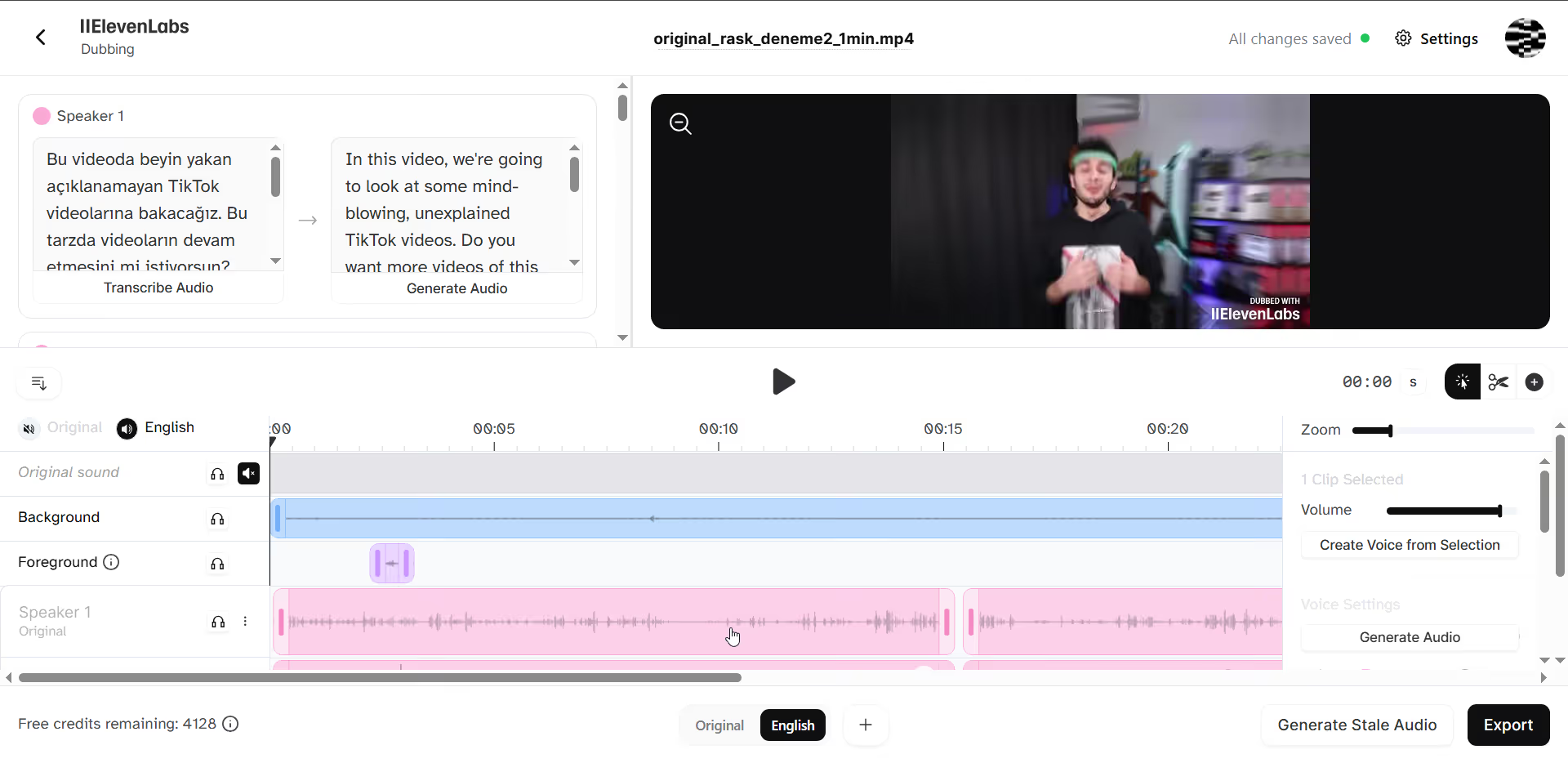
Pricing: Starter $5/month (~30k credits / ~6 dubbing minutes); Creator $22/month (~100k credits / ~20 dubbing minutes with voice clone); Pro $99/month (~500k credits / ~100 dubbing minutes). Editing within Dubbing Studio consumes additional credits on top of the initial dub generation. Visit their website to check the current pricing data: Elevenlabs Pricing
Best for: Creators for whom voice fidelity is the #1 priority, comfortable with a professional-grade editor, and who dub into 1–2 languages only. Multi-language creators should model their actual video volume against the per-language billing before committing — the headline price understates real costs significantly.
Side Note: GoodDub utilizes ElevenLabs infrastructure for audio generation, including its ready-to-use voices and custom voice cloning.
Maestra bundles dubbing, subtitle generation, and transcription into a single platform — useful if you're juggling multiple tools and want to consolidate. That said, it's worth being clear about what Maestra is optimized for: voiceover and transcription workflows, not full AI dubbing.
Strengths:
Weaknesses:
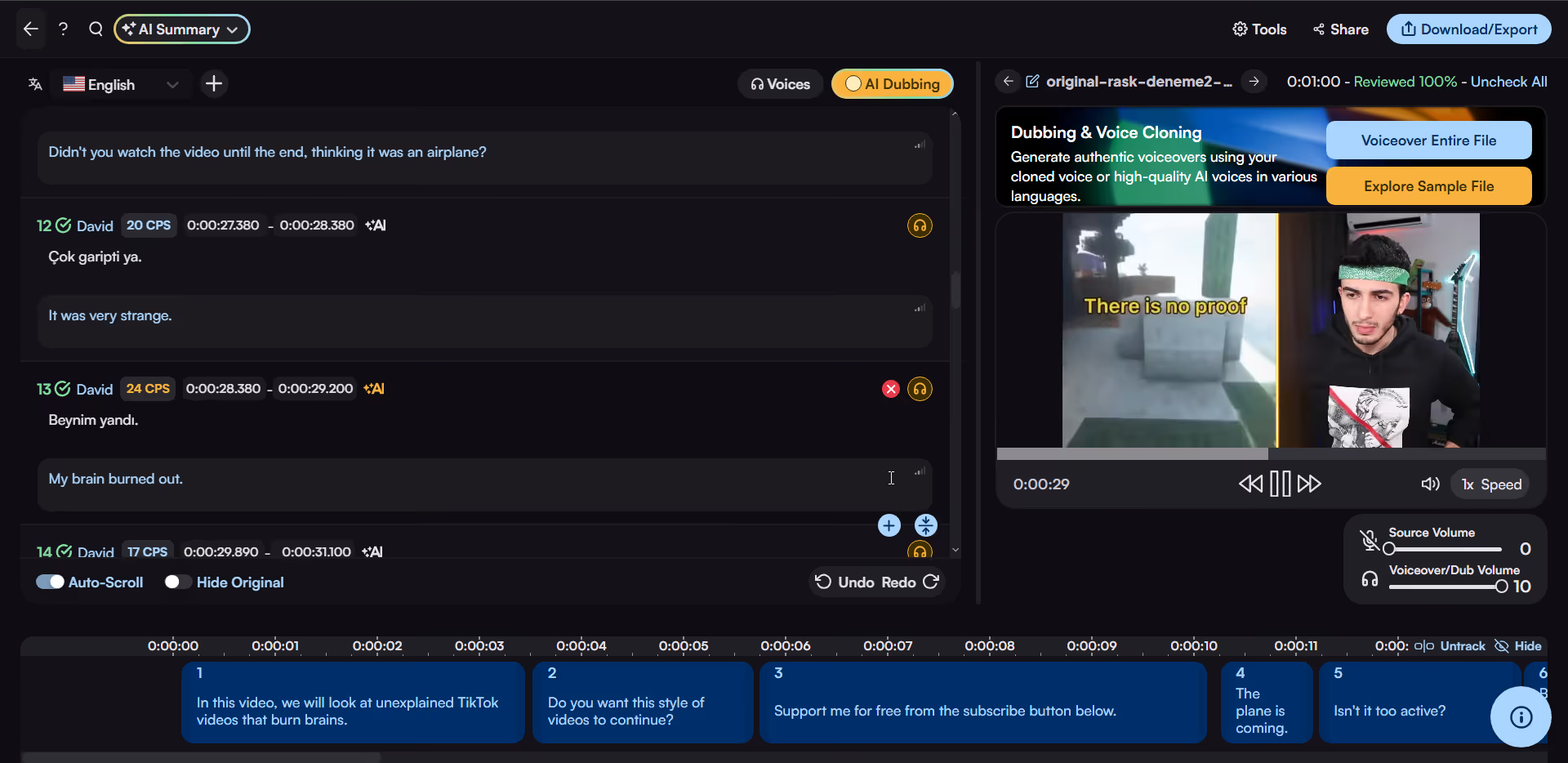
Pricing: Basic $49/month (standard voices only); Pro voices and voice cloning from $99/month. Pay As You Go $10/hour also available. Visit their website to check the current pricing data: Maestra Pricing
Best for: Creators or small teams who primarily need transcription and subtitles, with dubbing as a secondary use case — and who don't need expressive voice cloning at the entry price point. If dubbing quality is your main priority, the cost-to-capability ratio doesn't hold up against dedicated alternatives.
CAMB.AI focuses on preserving the emotional character of the original speaker — not just the words, but the delivery. For narrative or storytelling content where tone carries as much meaning as accuracy, that makes a real difference.
Strengths:
Weaknesses:
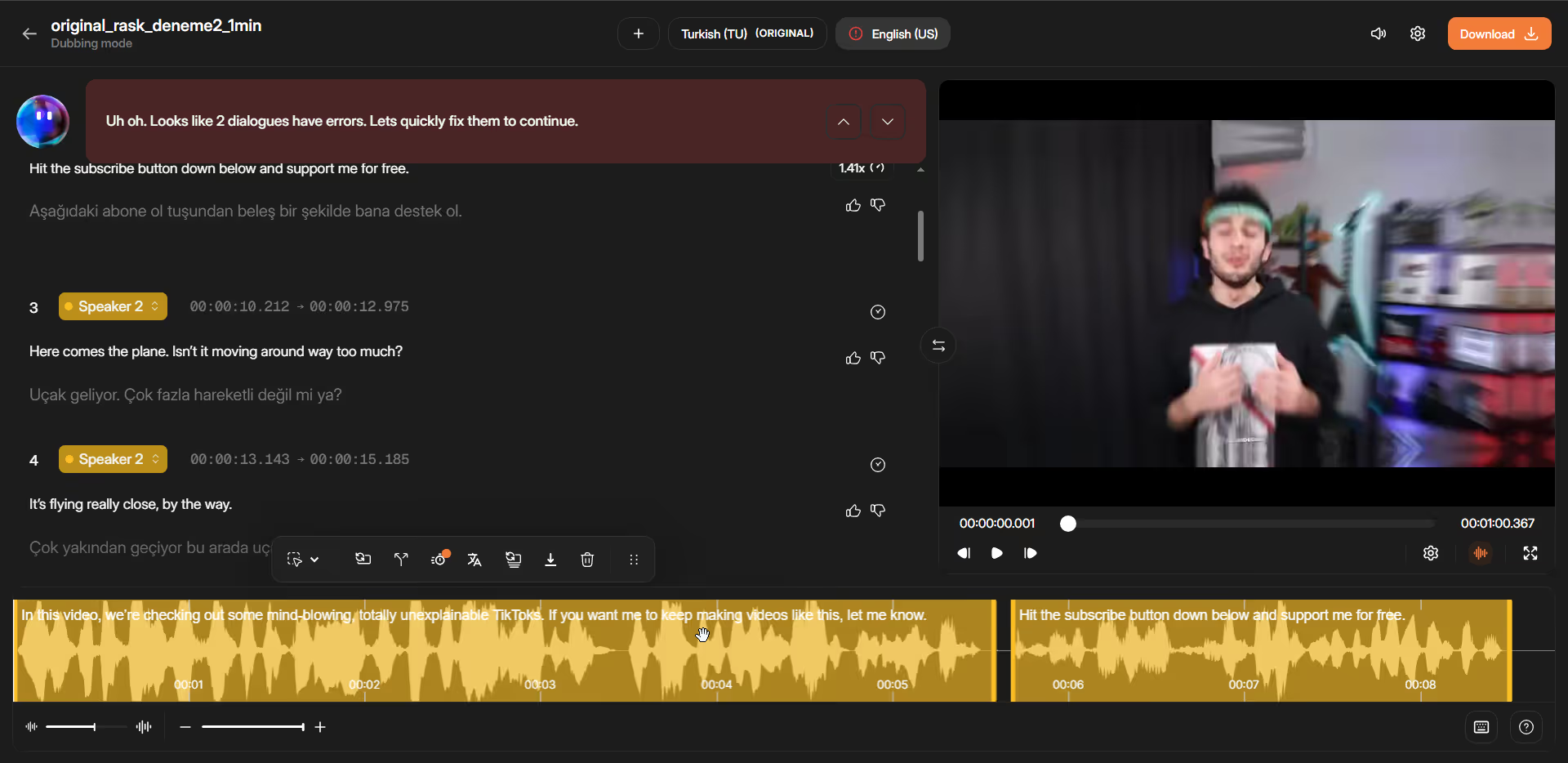
Pricing: Credit-based — Free (4k credits/~2 min); Essentials $5/month (20k credits/~10 min); Pro $20/month (40k credits/~20 min); Premier $75/month (150k credits/~75 min). Edits and regenerations consume additional credits on top of the initial dub. Visit their website to check the current pricing data: Camb.ai Pricing
Best for: Creators producing narrative, documentary, or emotionally charged content where tone matters as much as accuracy — and who want a more affordable entry point than Rask.ai. At $20/month for ~20 minutes of dubbing, the per-minute cost undercuts Rask.ai's Creator Pro ($150/month for 100 minutes at $1.50/min) while prioritizing emotional voice fidelity over volume.
Descript takes a fundamentally different approach: edit the transcript, and the video edits itself. If you already edit heavily and think in words rather than timelines, this workflow feels natural — and dubbing is built directly into that same editing experience.
Strengths:
Weaknesses:
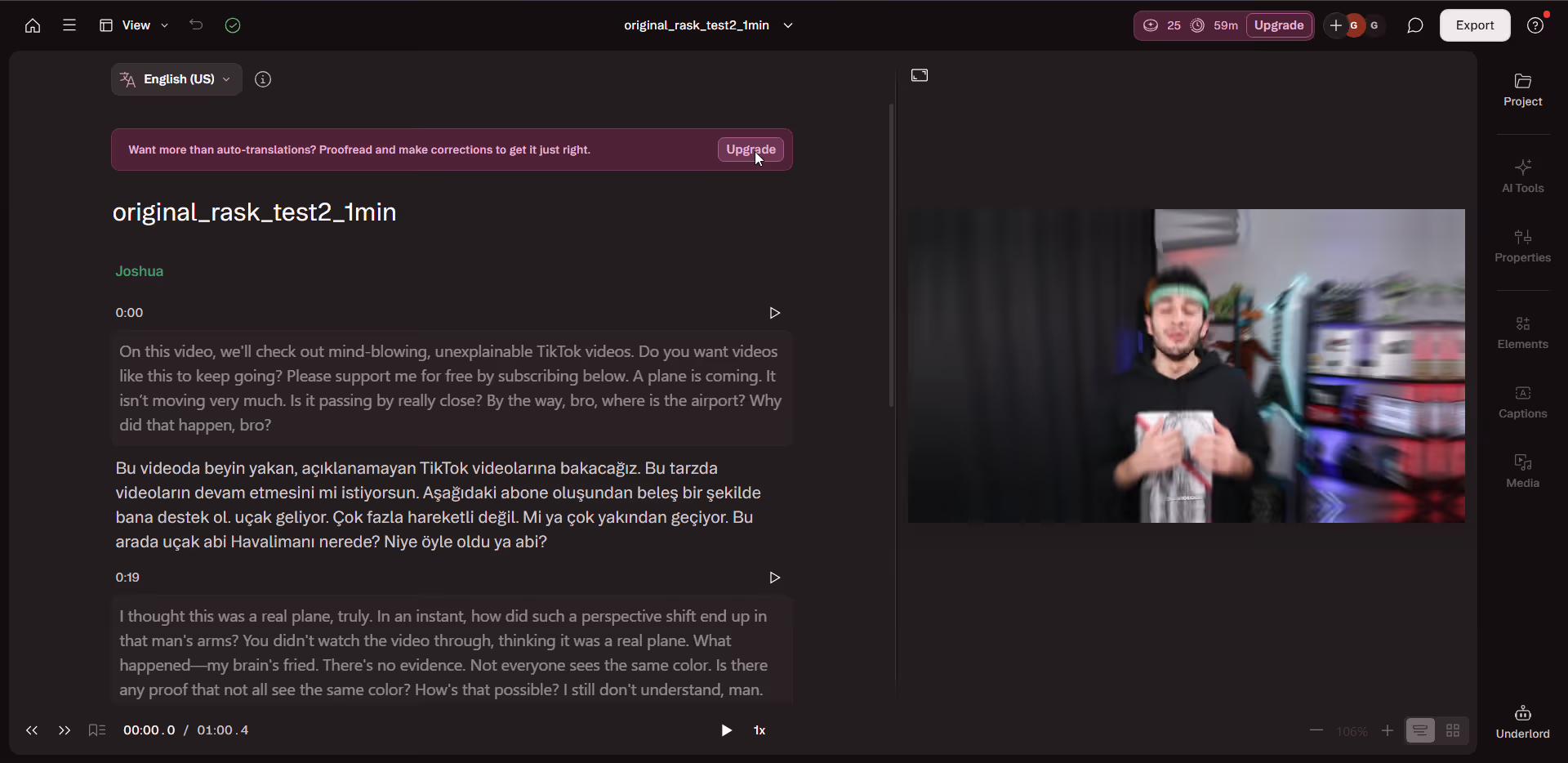
Pricing: Free (100 one-time AI credits / ~6 min dubbing); Hobbyist ~$16–24/month (400 AI credits / ~26 min dubbing); Creator ~$24–35/month (800 AI credits / ~53 min dubbing); Business ~$50/month (1,500 AI credits / ~100 min dubbing). Dubbing costs ~75 AI credits/minute if you include lip-sync and shares the same pool as all other AI features. Visit their website to check the current pricing data: Descript Pricing
Best for: Podcasters or transcript-first creators already on Business/Enterprise who want to extend that editing style to dubbing. Not a fit for creators who need a streamlined multi-language pipeline.
Murf AI is not a full video dubbing pipeline — if you need lip-sync or native video timeline integration, look elsewhere. What Murf does well is studio-quality voiceover generation: consistent, clean, and across a broad range of voices and languages. Dubbing is available as a separate product (Murf Dub) with its own credit system.
Strengths:
Weaknesses:
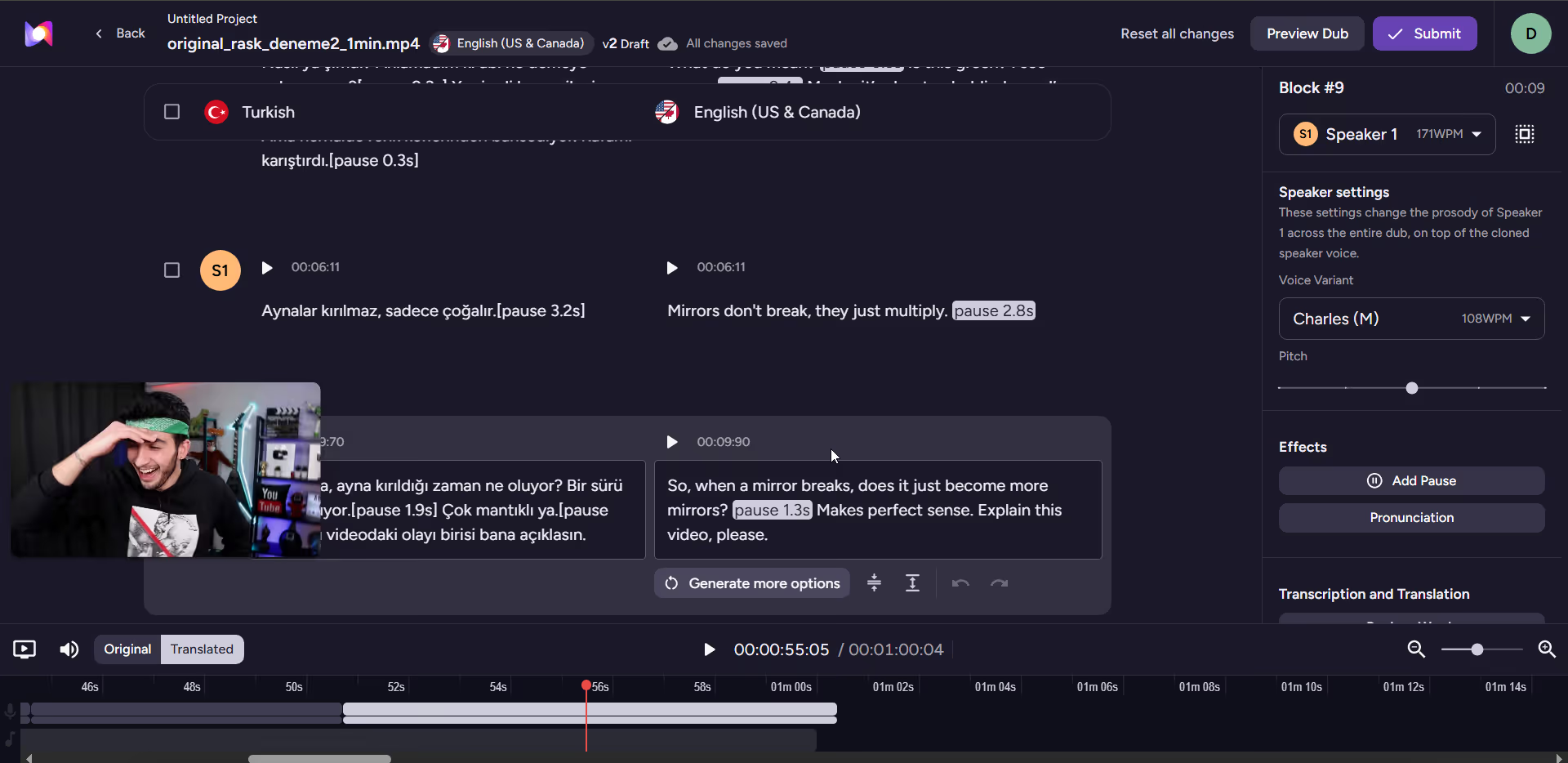
Pricing: Murf Dub: Free (200 credits / ~100 min); Pay-as-you-go $0.25/credit — 2 credits per minute per language, meaning 1 hour of dubbing into one language costs ~$30. YourAISoft Enterprise: custom. Visit their website to check the current pricing data: Murf.ai Pricing
Best for: Creators who produce narration-heavy content — explainers, slideshows, course videos — and don't need lip-sync. The pay-as-you-go dubbing model works well for occasional projects; for regular multi-language dubbing volume, the per-minute cost adds up faster than subscription-based alternatives.
What to Know for Superior AI Dubbing Results: Best Practices
Pricing notes:
*Note: Visit their website to check the current pricing data.
The answer depends on what specifically broke down for you with Rask.ai:
· Need to fix specific lines without re-running the video → GoodDub. PAYG from $0.42/min, sentence-level dubbing editing built in as the core workflow.
· Want the most dubbing minutes for the lowest monthly cost → HeyGen. $29/month, unlimited audio dubbing, 175+ languages.
· Voice cloning fidelity is the #1 priority and you dub into 1–2 languages → ElevenLabs. Strong voice quality — but model the per-language billing against your actual volume before committing.
· Want one platform for subtitles, transcription, and dubbing → Maestra. Multi-engine translation is a genuine differentiator at a competitive price.
· Emotional tone matters and you want a more affordable entry point than Rask.ai → CAMB.AI. At $20/month for ~20 minutes, the per-minute cost undercuts Rask Creator Pro ($120/month for 100 minutes at $1.20/min). Factor in that edits and regenerations consume additional credits on top of the initial dub — your effective minutes per dollar will be lower than the headline rate suggests.
· You already edit transcript-first and are on Business/Enterprise → Descript. Strong workflow extension, but the tier gate and one-language-per-file limitation are real constraints.
· Narration-only content, no lip-sync needed → Murf AI. Best voiceover quality at the most affordable entry price on this list.
One honest note that’s missing from most comparison posts in this space: AI dubbing in 2026 still has quality ceilings. No tool produces output that sounds exactly like you in a foreign language without at least some editing. The right question isn’t “which tool is perfect?” — it’s “which tool gives me the most control when corrections are needed, at a price I can justify on my publishing schedule?” AI Dubbing vs Human Dubbing: An Honest Quality Comparison for Creators
Upload a clip, run it through the dubbing pipeline, and edit the specific lines that need fixing — without touching the rest of the video. Free trial: 1 minute per video, no credit card required.
Try GoodDub free → GoodDub Pricing Page
You've picked your tool. Now here's the step-by-step workflow for getting professional results from your first AI dub →
Full Disclosure: This review is brought to you by the team at GoodDub. Although we are the creators of one of the tools listed above, our goal is to provide an honest, accurate, and unbiased overview of the market to help you choose the best fit for your needs.
While Rask.ai delivers quality results, it is expensive, especially for creators who require lip-sync (the Creator Pro plan is $120/month). Furthermore, its biggest drawback is the "fire-and-forget" approach; if there is a single mispronunciation in the video, you have to regenerate the entire video and waste extra credits.
Sentence-level dubbing editing is an advanced video localization feature that lets you edit, approve, and re-render each line of translated audio individually, rather than accepting a "black-box" output. While traditional tools limit sentence control to text translation, platforms like GoodDub apply it directly to audio generation. This allows you to fix a single mispronounced word without re-rendering the entire video or wasting credits.
If you don't need to fine-tune (edit words/sentences) your dubbed videos and are looking for the highest volume at the lowest cost, HeyGen stands out. With its $29/month entry-level (Creator) plan, it offers unlimited audio dubbing. However, if you want to make detailed edits, you'll need to upgrade to higher tiers (like the $99 plan).
If your videos don't require lip movements to match (e.g., documentaries, educational content, or voiceover videos), ElevenLabs is the best choice for voice cloning quality, while CAMB.AI and Murf AI are excellent for preserving emotional tone. However, it's important to keep in mind that ElevenLabs charges "per language" when calculating your costs.


