

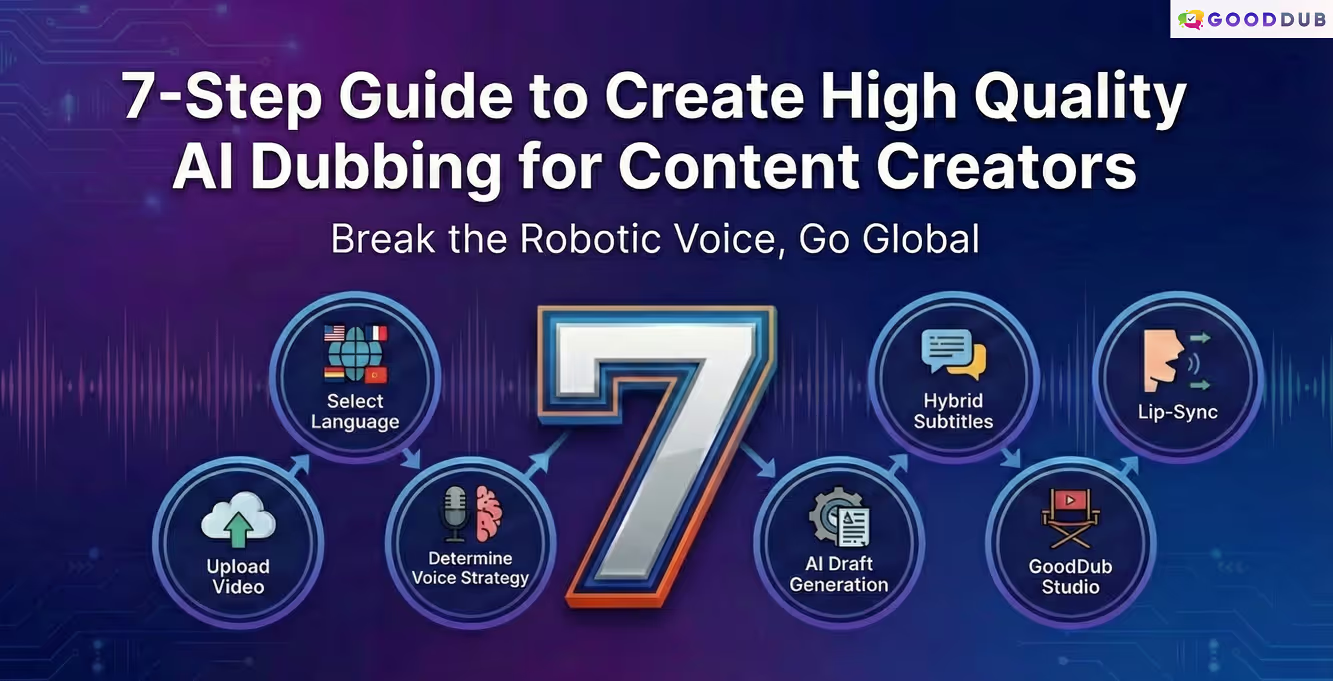
What You Will Learn in This Blog Post:
For content creators looking to reach global audiences, the biggest hurdles are either the high cost of traditional dubbing or the familiar "robotic" tone of AI. While the AI dubbing process may look like a "one-click miracle" on paper, but achieving professional results requires a controllable workflow. The way to overcome the "preview disappointment" experienced on most platforms is to stop treating quality as a matter of luck and treat it as a process.
In this guide, using the GoodDub AI dubbing steps, you will learn how to control voice quality sentence-by-sentence and how to preserve your authenticity.
There are many parameters that define a good dub: Millimetric synchronization of voice and video, naturalness in intonation, and authenticity that preserves the original emotion. However, not every dubbing project has the same needs; sometimes speed is the priority, other times it is artistic depth. GoodDub is a flexible platform that allows you to manage all these parameters according to your project's requirements, rather than imposing a single standard.
Before starting the technical process, focus on this question: "Is my priority for this video speed, or high-standard professional localization?"
If you haven't determined your strategy yet, don't worry; we will decide which option is right for you in the step-by-step process below.
GoodDub essentially reduces complex localization processes to 3 basic and simple stages: Upload, Edit, and Publish. GoodDub makes the initial draft produced by AI controllable on a sentence-by-sentence basis; this way, you handle quality as a manageable process, not a "chance" factor.
Now, let's move on to the "creating dubbing on GoodDub" steps that will guide you in determining your project's needs and managing the process most efficiently.
This is the most effortless step of the process. If you have a raw video file, you can drag and drop it, or simply paste the link of your content already live on YouTube. GoodDub prepares your content for processing without making you deal with format chaos.
Now it's time to set your target: In which market should your content resonate? If you are targeting Latin America, choose Spanish; for the European market, choose German or French. Remove the borders of your video by selecting the one that best fits your strategy from among the 30+ language options offered by GoodDub.
Here you are at a crossroads:
If you don't want your video to get lost on platforms watched silently (Instagram feed, LinkedIn, etc.), do not skip this step. By activating subtitles that flow simultaneously with the dubbing here, you capture both the listening and reading audience. This hybrid approach is one of the most effective ways to increase viewer retention.
When you click "Create," the system transcribes the speech, translates it, and adjusts the timing. However, remember; this result is not a 100% finished product, but your "high-quality raw material" to work on. AI gives you speed; be prepared for the fine touches in the next step to reach a professional result.
This is the place that distinguishes GoodDub from others and where we don't leave quality to chance.
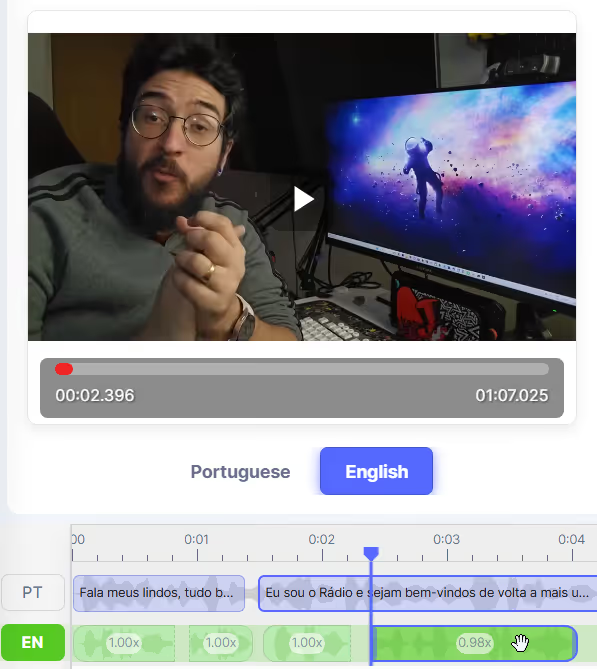
Especially in content where the speaker is clearly visible on screen and naturalness is critical (vlogs, etc.), visual-audio harmony directly affects the viewer experience. If you want to capture this visual integrity in your project, you can choose Lip-Sync, an extra feature you can add to your dubbing. This technology prevents viewer distraction by adapting lip movements to the new language and helps you achieve a professional flow.
If you say, "I don't have time to do my own editing" or "I have no command of the target language's grammar," don't worry. GoodDub Studio always offers you full control; however, when you don't want to deal with technical details, you can hand over the editing and fixing process to our Pro-Fix team.
Lighten the Load with Pro-Fix Service: Timing, translation, and intonation improvements are managed by GoodDub's expert editors. You only specify what your video wants to tell and the critical points for you. In other words, control and final approval are still yours; we just take the implementation burden off your shoulders and make your video "broadcast ready."
If you prefer to do the editing yourself in GoodDub Studio, we have prepared a little cheat sheet for you to achieve a professional result. You can follow these tips to ensure your video is truly ready before saying "Done."
Copy this checklist and use it for final control in every project:
Are there items in the checklist that don't feel right? Fixing these rough edges in GoodDub Studio takes much less time than you think.
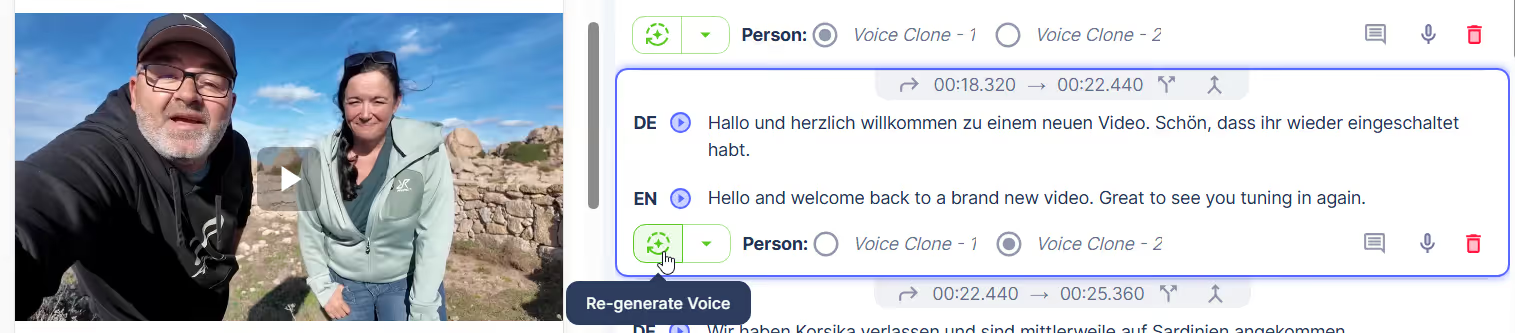
When trying to reach a global audience with your videos, 'one-click perfection' is usually a myth.
What should you expect when producing dubbing with GoodDub? Instead of a "magical and flawless" result on the first try, you get a 90% great draft. The remaining 10% is perfected by your "human touch" or our expert editors.
AI is a tool, but you are the one telling the story. GoodDub offers you a powerful tool to carry your story beyond languages.
Are you ready? Take the first step to remove the borders of your video. Whether you edit it yourself or leave it to our experts.
"Note: Dubbing quality may vary depending on source recording quality, the structure of the target language, and the density of technical terms in the content."


